Transparent PNG or plain white, in one click.
Photo Background Changer
Swap the background instead of just removing it — pure white, any solid color, or a studio scene. No sign-up.
- Free
- No sign-up
- No watermark
Shotelle's photo background changer replaces what is behind your subject: a pure white background for marketplace main images, any solid color you name, or a finished scene. Upload one JPG, PNG, WebP image; the cutout is drawn pixel by pixel and the new background is applied behind it, so the product itself is not redrawn. Your first swap is free; after that, sign in — 1 credit per photo.
Your first swap is free · then 1 credit per photo
Drop a photo here
or choose a file · JPG, PNG, WebP · up to 20 MB
No photo handy?
Your photo is uploaded only when you request the swap. Privacy policy
From one photo to a new background in three steps.
Upload your photo
JPG, PNG, WebP, up to 20 MB. The photo you already have works — a phone shot on a desk or a hanger is fine.
Keep the subject, swap what is behind it
The cutout is drawn pixel by pixel — hair, fine jewelry chains, thin frames, glass and reflective packaging stay in, and the product itself is not redrawn.
Pick where it goes next
Pure white for marketplace main images, any hex color you name, or a transparent PNG for catalogs and design files.
Tool details
| Input | JPG, PNG, WebP |
|---|---|
| Max upload | 20 MB · 24 MP for local preview |
| Solid & white output | Original image size · PNG or JPG |
| Export size | Samples: 1254 × 1254 px. Processed output size is shown in the result panel. |
| Price | Your first swap is free. After that, 1 credit per photo. |
| Sign-up | Not needed for your first swap. Sign in for more. |
| Your uploads | Processing uploads the selected photo to the service. See the privacy policy. |
Change the background to pure white
A white background is not a style choice — it is a listing rule. Marketplace main images ask for pure #FFFFFF, edge to edge, with no grey halo, no props and no text. Upload your photo and export a version you can list. Check your category’s current image requirements before publishing.
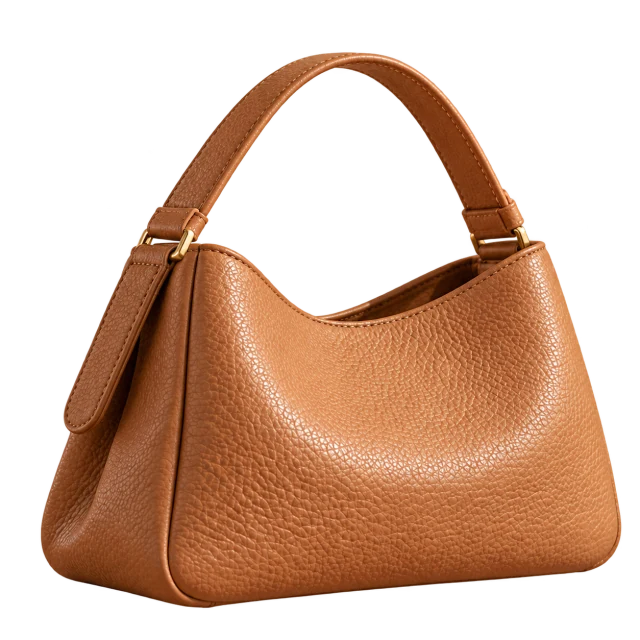
Pure white
Solid #FFFFFF behind the cutout — no grey edges, no halo.
Transparent PNG
The same cutout with nothing behind it, for catalogs, bundle images and design files.
Any solid color
Name the hex code and the whole set matches — consistent secondary images across a category page.
Removing vs replacing
Two tools, two jobs. If all you need is the subject with nothing behind it — a transparent PNG or a plain white listing image — the background remover does exactly that and leaves the product untouched. If you want the product placed somewhere — a color, a surface, a scene — this is the tool for it.
Photo background changer FAQs
Is it free? Do I need to sign up?
Your first swap is free — upload, change the background and download the result without an account. After that, sign in: each swap costs 1 credit, and a task that fails outright returns its credits.
Can I use the results commercially?
Commercial use — listings, ads, your store — is available to paid users. Results from the free first swap are for evaluating the tool. See our terms of service for details.
Can I change the background to pure white for Amazon or Shopify?
Yes. White is added behind a pixel-accurate cutout, so the product itself is not redrawn. Marketplaces set their own rules — Amazon main images require a pure white background, and some categories add rules about framing and content. Check your category’s requirements before publishing; a white background alone does not guarantee approval.
Can I pick an exact color?
Yes — enter a hex code and the background is rendered in that exact color, so a whole category page can share one consistent background.
Will the cutout look clean around hair and thin edges?
It depends on the photo. Hair, fine chains, glass and reflective packaging are the hardest edges — always zoom in and check the result at full size before publishing. See the background remover page for shooting tips that make cutouts cleaner.
Can I remove the background and replace it in one step?
Yes — that is what this tool does. Upload once, and the background is removed and replaced in the same request. If you only need the subject with nothing behind it, the background remover is the lighter option.
Can I do a whole catalog at once?
Not currently — photos are processed one at a time. A batch workflow for whole catalogs is planned for the background remover toolset.
More ways to finish a product photo
Your next product photo starts with what is behind it.
Free · No sign-up · No watermark